Open the Phone keypad
Use the mobile phone number that receives customer calls. Open the keypad as if you were placing a normal call.
Once your AI receptionist is configured and tested, your mobile business line can forward calls to the ReadyReception number provided during onboarding. The steps below cover the standard mobile forwarding flow.
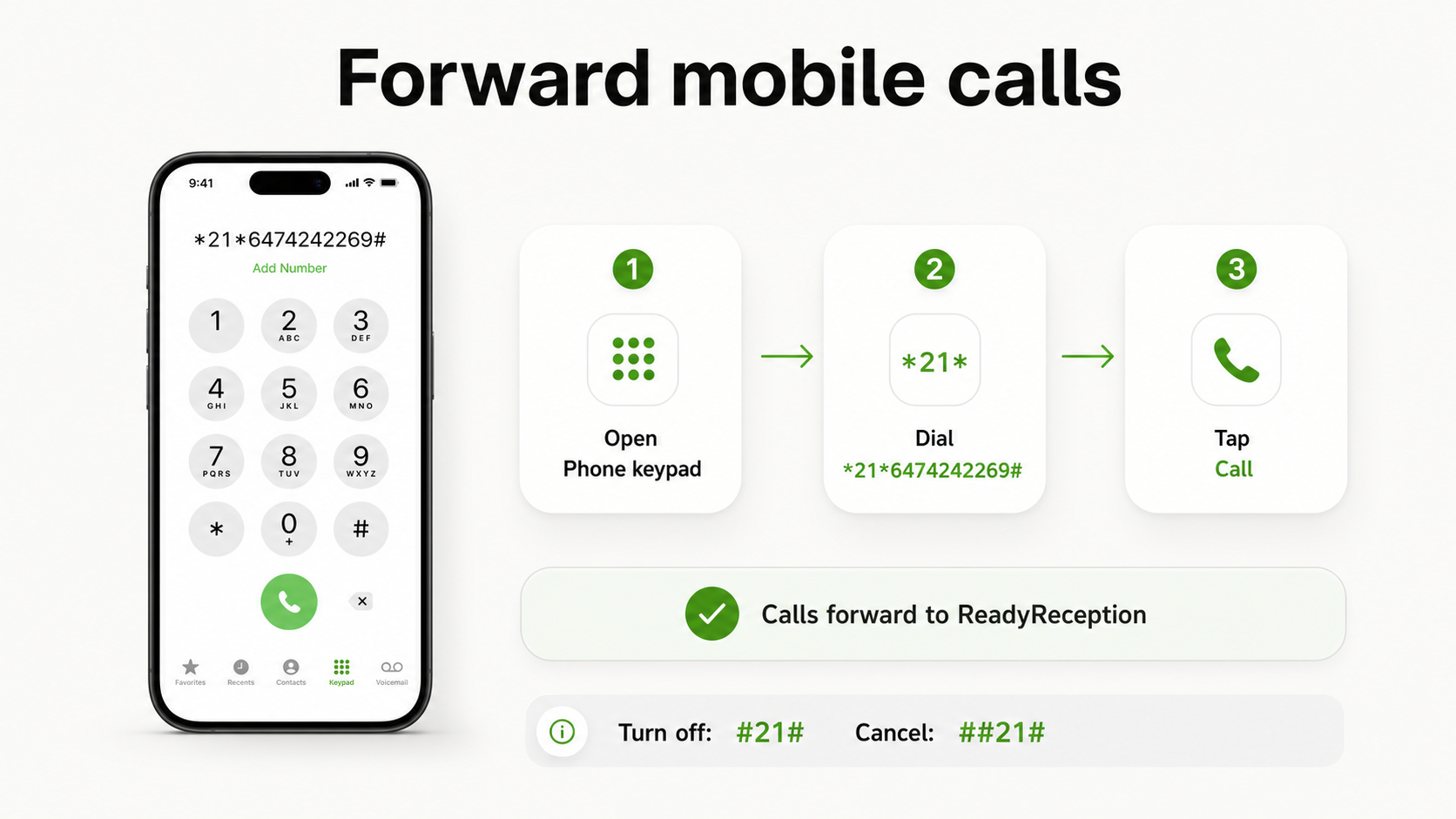
For many Canadian wireless carriers, unconditional mobile call forwarding is turned on from the Phone keypad. Carrier support can vary, so confirm with your provider if the code does not activate.
Use the mobile phone number that receives customer calls. Open the keypad as if you were placing a normal call.
Enter the forwarding code and ReadyReception number exactly as shown, then tap the Call button.
*21*6474242269#Call your business number from another phone and confirm the call reaches your AI receptionist. If it does not, turn forwarding off and check with your carrier.
Forwarding should be tested during a quiet moment so you can confirm the right greeting, call summary destination, and escalation behavior.
Use another phone or a number outside your business phone system. Ask one routine service question and confirm the AI receptionist answers as expected.
Confirm you receive the call summary in the expected destination, with caller details and the reason for the call clearly captured.
Use the test instructions provided during onboarding to confirm urgent calls follow your business-defined escalation path.
Once the test call works, leave forwarding active for the coverage window you want ReadyReception to answer.
Mobile forwarding can usually be disabled from the Phone keypad. If your carrier or phone plan uses a dashboard or different code, use your provider's call forwarding settings instead.
Text ReadyReception and we can walk through the test call with you.